Character modification
Character modification is where you keep the same person while intentionally changing styling. This lesson shows you how to define the target look first, then change costume and/or background without breaking the character.
You will leave withOne target look board, one approved modification brief, and two consistent variations that still read as the same person.
Modify the same person
This lesson starts after one influencer image is approved. The job is to change costume, background, or styling without letting the face become a new person.
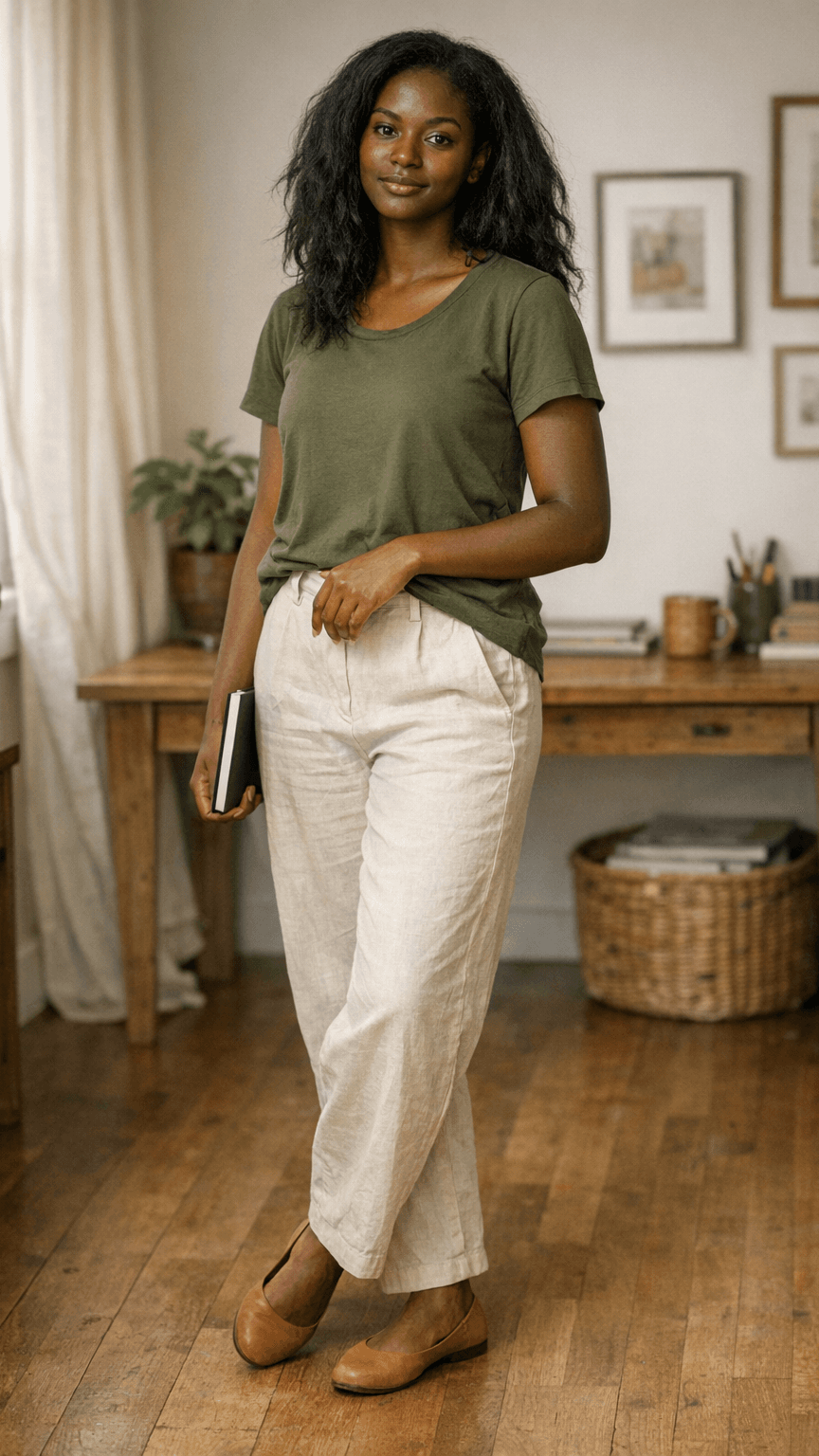
Our influencer image
Bring the generated person from Character creation. This is the image the model must protect.
- Best for
- Preserving face, age signal, hair silhouette, and body proportions.
- Inputs
- Approved influencer image
- Output
- The identity anchor for every edit.
Reference image
Use a Pinterest, Instagram, selfie, product scene, or look reference to show the style direction.
- Best for
- Changing costume, background, mood, and visual styling.
- Inputs
- Reference image + Target look notes
- Output
- A clear edit direction.
Common prompt
Use one repeatable prompt that separates what changes from what stays locked.
- Best for
- Consistent edits across costume and background variations.
- Inputs
- Identity anchor + Reference image + Change request
- Output
- A controlled edited image.
Generate the edited version
Use GPT image generation for this step. The reference image guides the new look, while the influencer image protects identity.
GPT image
Video: generate the edited version
Show the exact run: upload the influencer image, add the style reference, paste the common prompt, and approve the output only if the person is still the same.
Common modification prompt
Use the approved influencer image as the identity anchor.

Reference direction:
- Use the attached reference image only for costume, background, mood, and styling direction.
- Do not copy a different person's face, body, age, or identity from the reference.

Keep the same:
- Face structure, eye feel, skin tone, hair silhouette, age signal, and body proportions.
- The person must still read as the same influencer from the original image.

Change:
- Costume: [describe the new outfit, colors, accessories, and styling level].
- Background: [describe the new location, set, props, and lighting mood].

Quality:
- Realistic vertical UGC image, natural skin texture, believable fabric, clean hands, no plastic retouching.

Avoid:
- Identity drift, a new face, celebrity likeness, over-smoothed skin, costume overpowering the face, background overpowering the subject.
Original image
The generated influencer image that must stay recognizable after the edit.
Reference image
The costume, background, or mood direction for the modified version.
Output image
Approve only if the new styling is visible and the same-person test still passes.
Task: open GPT image generation, add the influencer image and reference image, paste the common prompt, then create one edited output.
Reference image + our image + prompt
The workflow is simple on purpose. One image tells the model who to preserve, one image tells it what style to borrow, and the prompt explains the allowed change.
Reference image
Shows the new costume, background, mood, color palette, or scene direction.
Our influencer image
The approved generated person whose identity must stay stable through the edit.
Prompt
Names exactly what changes and repeats the face, hair, age, body, and realism cues that must stay locked.
Output image
A modified influencer image with the new costume or background while still reading as the same person.
What changes and what stays
Read the prompt in blocks. The identity block protects the person, while the costume and background blocks carry the visible edit.
Identity
Keeps the person
Locks face structure, eye feel, skin tone, hair silhouette, age signal, and body proportions.Costume
Changes outfit
Updates wardrobe, accessories, color palette, makeup level, and styling without changing the face.Background
Changes scene
Moves the person into a new location, lighting mood, or product setting while keeping the subject dominant.Video walkthrough
Edit the person without losing identity
Watch a costume edit and a background edit from the same source image so learners can compare identity stability.
Character modification brief
Use this after Character creation is locked. It keeps the identity anchor stable while clearly naming the styling change you want.
Use the approved influencer image as the identity anchor.

Reference direction:
- Use the attached reference image only for costume, background, mood, and styling direction.
- Do not copy a different person's face, body, age, or identity from the reference.

Keep the same:
- Face structure, eye feel, skin tone, hair silhouette, age signal, and body proportions.
- The person must still read as the same influencer from the original image.

Change:
- Costume: [describe the new outfit, colors, accessories, and styling level].
- Background: [describe the new location, set, props, and lighting mood].

Quality:
- Realistic vertical UGC image, natural skin texture, believable fabric, clean hands, no plastic retouching.

Avoid:
- Identity drift, a new face, celebrity likeness, over-smoothed skin, costume overpowering the face, background overpowering the subject.
What you should finish with
This topic is complete when these outputs exist and are saved for the next stage of the workflow.
- One approved target look reference or written look brief.
- One character modification brief that clearly separates what changes from what stays fixed.
- One approved costume change variation that still reads as the same person.
- One approved background change or combined change variation that preserves identity continuity.
Placeholders for uploads
These are the assets we will plug in later. Keeping the slots visible now makes the workflow feel complete and shows exactly what still needs to be collected.
placeholder
Target look board
Upload the reference image or moodboard that defines how the modified version should look.
placeholder
Costume swap comparison
Upload the original anchor beside the approved costume-change output.
placeholder
Background swap comparison
Upload the original anchor beside the approved background-change output.
placeholder
Approved modification set
Upload the final set of modified images that still preserve the same character identity.
Once you can restyle the same person reliably, Vertical video gen is where you start turning that locked identity into motion-ready clips.
Continue to Vertical video gen